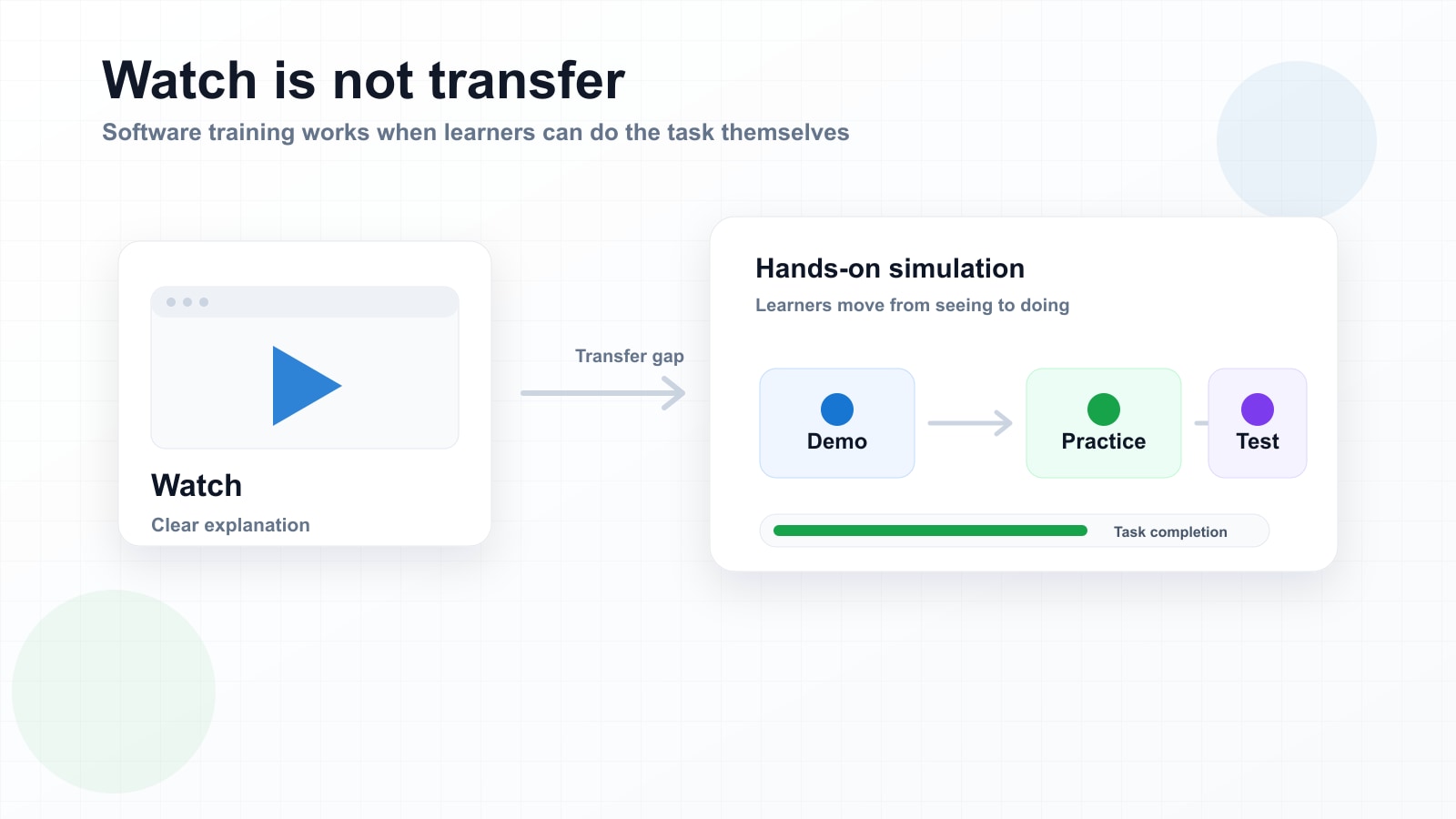
There is a familiar problem in software training: everything looks simple while someone else is doing it.
The trainer clicks through a system. The video is clear. The steps seem logical. The learner nods along and thinks, “Yes, I understand this.” Then the learner opens the real software on their own screen and suddenly the confidence disappears.
That gap is one of the biggest weaknesses in traditional e-learning for software workflows. Many courses are built around explanation, demonstration, and recall. But software proficiency is not proven by watching a walkthrough or answering a multiple-choice question. It is proven when someone can complete the task correctly inside the workflow.
The hidden failure point in software training
Most workplace software training still follows a familiar pattern: record a screen, add narration, upload the video to an LMS, and maybe attach a quiz at the end. This is efficient for distribution, but it does not guarantee transfer.
A learner may remember the name of a menu or recognise the screen from the video, but that does not mean they can perform the task under real conditions. They still have to find the right button, interpret the current screen state, avoid the wrong menu, deal with form fields, and understand what should happen after each action.
The moment of use is where passive training often breaks down.
Watching is not the same as practising
Video is useful. It shows the correct process. It can explain context. It can be reused across teams. But video alone keeps the learner in observer mode.
The learner is not required to make decisions. They are not required to locate the next action. They are not asked to recover from uncertainty. They are not tested on whether they can complete the workflow without help.
That is why a learner can finish a course, pass a knowledge check, and still need support the first time they use the system for real work.
Software training needs a different structure
For software workflows, the learning experience should not end with “here is how it works.” It should take the learner through three stages.
Demo
Show the workflow clearly, step by step, with guidance.
Practice
Let the learner try the workflow safely, with support and retries.
Test
Remove the hints and confirm the learner can complete the task independently.
This structure changes the purpose of training. The course is no longer only a communication asset. It becomes a practice environment.
The real cost of passive software training
When software training does not transfer, the cost shows up somewhere else. It appears as helpdesk tickets, manager interruptions, slow onboarding, rework, user frustration, compliance risk, and poor adoption of expensive systems.
The problem is not that learners are unwilling. Often, they were never given a chance to practise before being expected to perform.
A better training asset should give people a safe place to make mistakes before they touch real customer data, financial records, employee information, or operational systems.
Why simulations are more maintainable than videos
There is another issue with software training: software changes.
A button moves. A menu label changes. A new approval step is added. A form field disappears. When training is locked inside a video, even a small interface change can make the whole asset feel outdated.
Interactive simulations can be maintained more surgically. A team can update a screen, adjust a target, refine a tooltip, or change an instruction without rebuilding an entire course from scratch.
That is the direction software training needs to move: from static content to editable practice assets.
From “I watched it” to “I can do it”
The goal of software training is not course completion. It is operational confidence.
Learners should leave training not only knowing what the workflow looks like, but having already performed it in a safe environment. Managers should be able to see who has completed the practice and who has demonstrated mastery. Training teams should be able to maintain the asset as the system changes.
That is why we believe the next generation of software training will be less about passive e-learning pages and more about hands-on, editable simulations.
The core shift
Software training should not stop at “watch this.” It should help people watch, practise, prove, and then perform with confidence.